v0.11.0 What’s new →

The production-ready batteries included Django stack

Developer-first Django tooling

DjangoStack creates a website project with a Django backend, an Astro frontend, Postgres, Valkey and Umami analytics, run by Docker Compose. Django Headless serves the content API and Django Content Studio is the admin.

npm i -g @django-stack/cli
dstack init my-site
cd my-site
dstack dev
frontendAstrolocalhost:3000
adminDjango Content Studio/admin/
apiDjango Headless/api/
dbPostgres
cacheValkey
mailMailpitlocalhost:8025
analyticsUmami

Built with

  • Docker
  • Valkey
  • Umami

Frontends

  • SvelteKit
  • Nuxt

Deploy to

  • Coolify
  • Dokploy
  • SSH

The admin

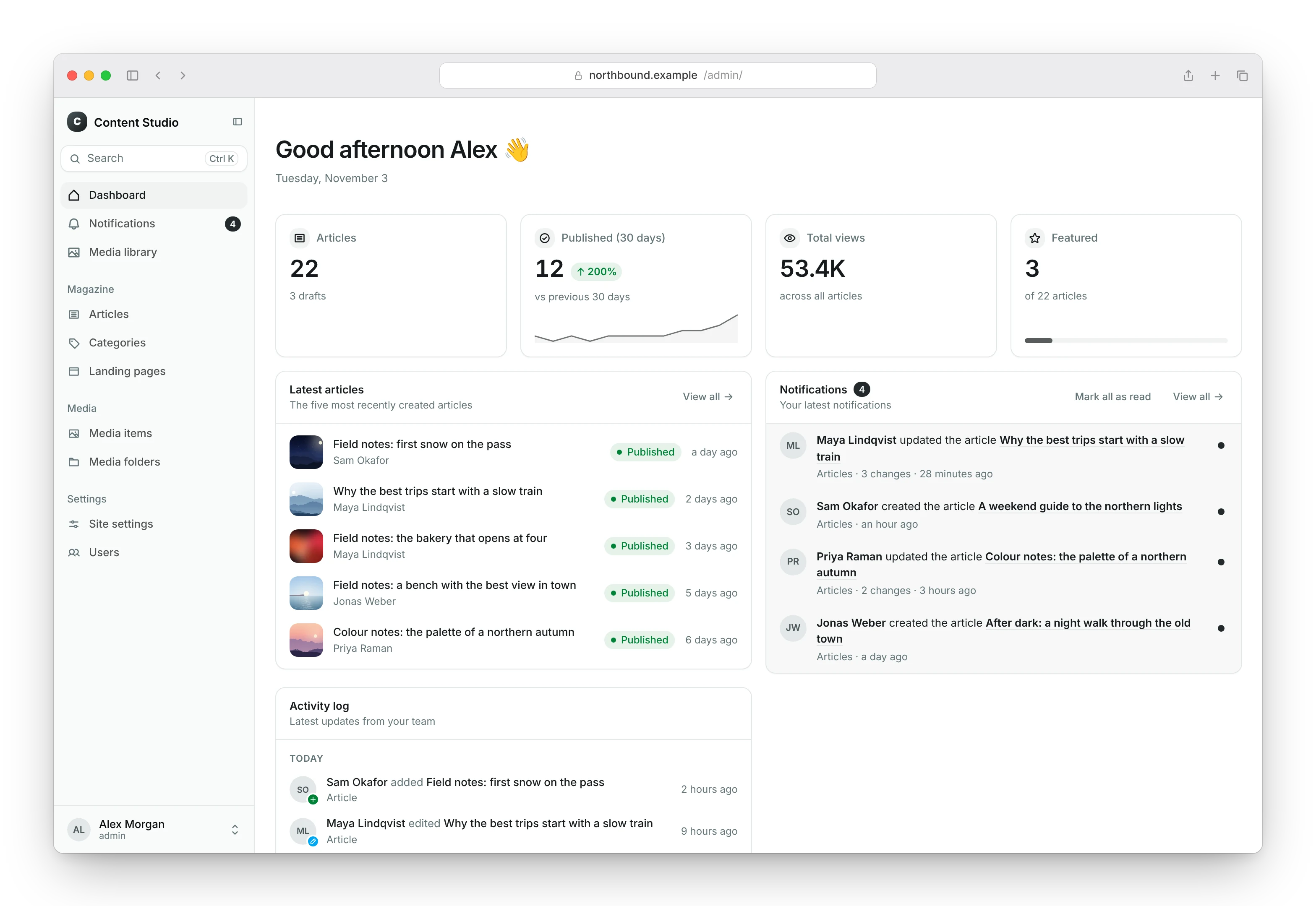
Editors write pages and posts, upload media and preview drafts in Django Content Studio.

The dashboard of Django Content Studio, with statistics, the latest articles, notifications and recent activityThe dashboard of Django Content Studio, with statistics, the latest articles, notifications and recent activity

What a project includes

One command

The init command asks for the frontend, the database and demo content, and writes a project with fresh secrets. Every prompt has a flag, so it also runs in scripts.

Your content model

Pages, posts, menus and site settings as ordinary Django models in your project. Change them like any other model.

An admin for editors

Django Content Studio manages the content, with drafts, a media library and a preview of a draft on the site.

Closed by default

The API needs a key for every request, and the frontend gets the read-only key only, on the server.

Production on your server

The same compose.yaml runs behind Caddy with HTTPS, read-only containers without privileges and daily backups. dstack deploy puts it on Coolify.

Open pieces

Django, Django Headless, Django Content Studio, Astro, Postgres, Valkey and Umami: every piece is an open-source project you can read, change or remove.